
TL;DR
An AI job description generator drafts a usable posting from a short brief so you can write a JD quickly—then you edit must-haves, pay, and location. Speed comes from the draft. Quality comes from a human pass so the listing matches the actual job.
Definition
An AI job description generator is a tool (or hiring assistant) that turns a plain-language role brief into a structured job listing: title, summary, responsibilities, qualifications, and often application questions; it is a first draft for a human to edit, not a finished legal or compensation document you should auto-publish unread.
Most lean teams do not stall because they lack candidates. They stall because the role lives in a founder’s head for a week while nobody can write a JD quickly. A generic chatbot dump, a recycled PDF, and a survey link are three different delays. An AI job description generator is useful when it produces a listing you can publish—and an application that collects comparable answers—not when it pastes 40 bullet points of “synergy.”
Evidence
The CIPD’s Resourcing and talent planning report 2024 found 31% of organisations used some form of AI or machine learning in recruitment—up from 16% in 2022—and that AI used to write job descriptions rose 7 percentage points since 2022. Of organisations that use AI in resourcing, 66% said it improved hiring efficiency.
How Do I Write a Job Description With AI?
How do I write a job description with AI?
Quick Answer
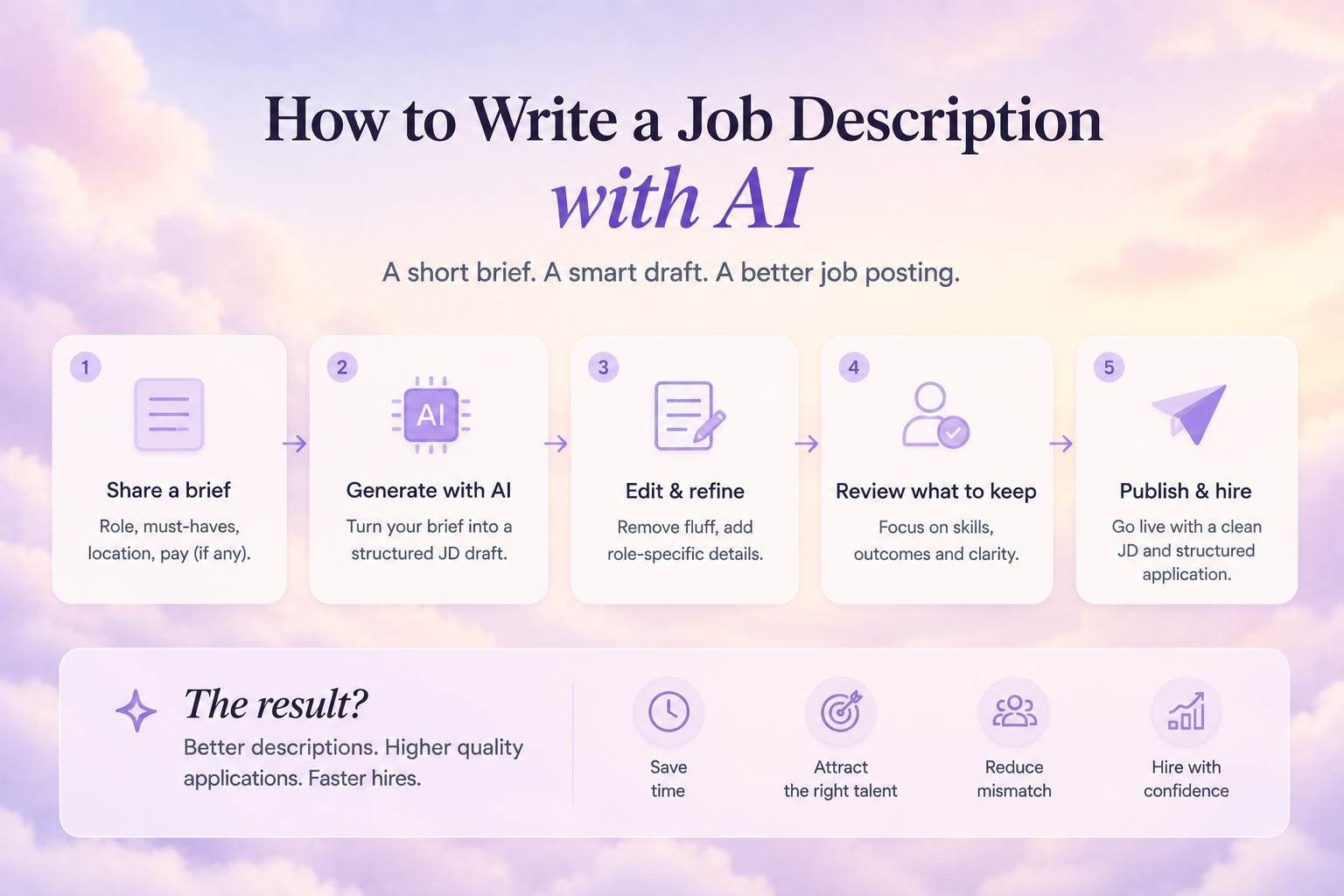
Start with a short brief: the problem the hire will own, three must-haves, location or remote rules, and a pay band if you have one. Paste that into an AI job description generator, then cut fluff, split must-haves from nice-to-haves, and add what candidates actually scan—responsibilities, skills, and rewards—before you auto-generate a job posting.
Harvard Business Review argues the work starts before the listing: if you have not assessed the skill gap the seat should close, you will generate a faster wrong JD. AI does not replace that five-minute thought. It replaces staring at a blank page.
- Write a 5–8 line brief (mission of the seat, outcomes for the first 90 days, knockouts).
- Run an AI job description generator or hiring assistant on that brief—not on “write a senior ninja JD.”
- Keep responsibilities short and outcome-based; cut duplicate bullets.
- Put skills ahead of pedigree unless a licence is legally required.
- Add pay, work pattern, and location in plain language.
- Edit must-haves vs nice-to-haves so you are not screening people out by accident.
- Publish a real listing and structured application—not a survey URL.
Hiring Forms is built for that last step: describe the role in plain language and it drafts the job listing and the application form, so you are not copy-pasting a chatbot draft into a spreadsheet.
Did You Know?
LinkedIn analysis of millions of U.S. paid job posts found high-converting listings were about 7% shorter overall, and that 90% of candidates in a cited survey said responsibilities help them decide whether to apply.
Source: LinkedIn Talent Blog — Data-Driven Tips to Boost Your Apply Rate
What to Keep, Cut, and Check Before You Publish
A JD template generator is only as good as the template. LinkedIn’s 2023 job-post analysis found qualifications focused on hard skills were associated with a 56% higher apply rate than pedigree-heavy copy, and soft skills with a 47% lift—while degree-and-prestige language lagged (LinkedIn). If your generator dumps “Bachelor’s required, 10 years, rockstar,” you have automated a conversion problem.
Edit this list every time you auto-generate a job posting:
- Keep: outcomes, tools the job actually uses, reporting line, location/hybrid rules
- Cut: synonym stacks, internal jargon, 25 “responsibilities” that are one job
- Check: must-have vs nice-to-have; licence only if the work requires it
- Add: compensation or an honest band, and specific benefits—not “competitive package”
- Human-own: essential functions, physical or safety rules, and anything that could screen people out unfairly
Myth
“If the AI job description generator sounds polished, I can post it tonight.”
Reality
Polish is not accuracy. LinkedIn itself frames generative AI as a way to get started. You still own pay, knockouts, and whether the duties match the seat. An unread draft is how you attract the wrong pile—or nobody.
| Section | Let AI draft | You must verify |
|---|---|---|
| Title and summary | Yes | Title matches how candidates search |
| Responsibilities | Yes, then shorten | Outcomes, not a task dump |
| Qualifications | Yes | Skills first; pedigree only if required |
| Pay and benefits | Prompt it if you know the band | Numbers and legality in your market |
| Essential / physical requirements | Do not invent | Job-related only; human sign-off |
| Application questions | Yes, as a starter | Knockouts vs survey bloat |
Expert Insight
“Whether you’re writing your job descriptions from scratch or using generative AI to help you get started, there’s always room for improvement.” — Greg Lewis and Manas Mohapatra, LinkedIn Talent Blog (October 2023)
Source: LinkedIn Talent Blog
Where U.S. disability rules apply, a written job description prepared before advertising is treated as evidence of the job’s essential functions (EEOC). That is a reason to edit AI output, not a reason to skip the draft.
For more on turning a listing into comparable applications, read Hiring Forms’ Google Forms vs. HiringForms: Why Spreadsheets Break Down When You’re Hiring.
Is There a Free JD Generator?
Is there a free JD generator?
Quick Answer
Yes—several free chat tools can draft copy, and hiring products can generate a JD for free at signup. The useful test is not “did it write paragraphs?” It is whether you can edit, publish a branded listing, and take applications without rebuilding the role in a Sheet. A free JD generator that stops at a text box still leaves the posting and intake undone.
HBR’s 2023 argument is that traditional, static job descriptions already lag how work changes (Antonio Nieto-Rodriguez). A one-off chatbot file goes stale the same way. A hiring-native generator should live next to the live listing so you can update the role when the work shifts.
| Approach | Speed to first draft | Gets you to a live posting | Best when |
|---|---|---|---|
| Blank page + old PDF | Slow | Only after heavy rewrite | You already have a sharp, current JD |
| General-purpose chatbot | Fast | Copy-paste into another tool | You only need wording help |
| AI job description generator in a hiring product | Fast | Listing + application in one flow | You need to write JD quickly and hire |
LinkedIn News, drawing on LinkedIn’s ongoing member survey, still puts compensation, work-life balance, and flexibility as the top three things people want from a role (LinkedIn News). If your free draft hides those, you will write a JD quickly and still convert poorly.
You can generate a JD for free on Hiring Forms: describe the role, get a listing plus application form, and publish without a survey link. Signup includes 25 free AI screening credits and no credit card.
Lean-Team Hiring Context: Why Founders Need a Draft, Not a Novel
In a 10-person company the “talent team” is the CEO between product meetings. Waiting for a perfect JD is how the seat stays empty. Recycling last year’s posting is how you auto-generate a job posting that describes a job you no longer have.
India-based startups should put CTC band, notice-period expectations, and work-authorisation in the listing if those are real constraints—AI will not know your entity’s rules unless you say so in the brief.
First-Hand Experience
Founder-led teams rarely need a 2,000-word careers essay. They need a listing accurate enough to screen against. The usual gap is a Slack brief, a chatbot wall of text, then a Google Form that asks none of the must-haves. Generating the JD and the application together closes that gap—if you still cut “rockstar.”
Evidence
LinkedIn’s job-description research found high-performing posts kept the responsibilities block about 9% shorter than weaker posts, even though recruiters already devote roughly 45% of the listing to that section. A generator that pads duties is working against apply rate.
Source: LinkedIn Talent Blog — Data-Driven Tips to Boost Your Apply Rate
A faster, clearer posting also cuts the wait that produces panic hires. For more on that funnel delay, read Hiring Forms’ Why Most Startups Take Too Long to Hire (And How to Fix It).
Quick Summary
Can an AI job description generator help you write a JD quickly without wrecking quality?
Yes—if the model drafts and a human still owns must-haves, pay, and essential functions.
A strong setup can:
- ✓ Auto-generate a job posting from a short brief
- ✓ Keep responsibilities short and skills-first
- ✓ Generate the listing and application together
- ✓ Let you generate a JD for free, then publish
It cannot replace:
- ✗ A clear idea of the skill gap you are hiring for
- ✗ Honest pay, location, and knockout rules
- ✗ Human review before the post goes live